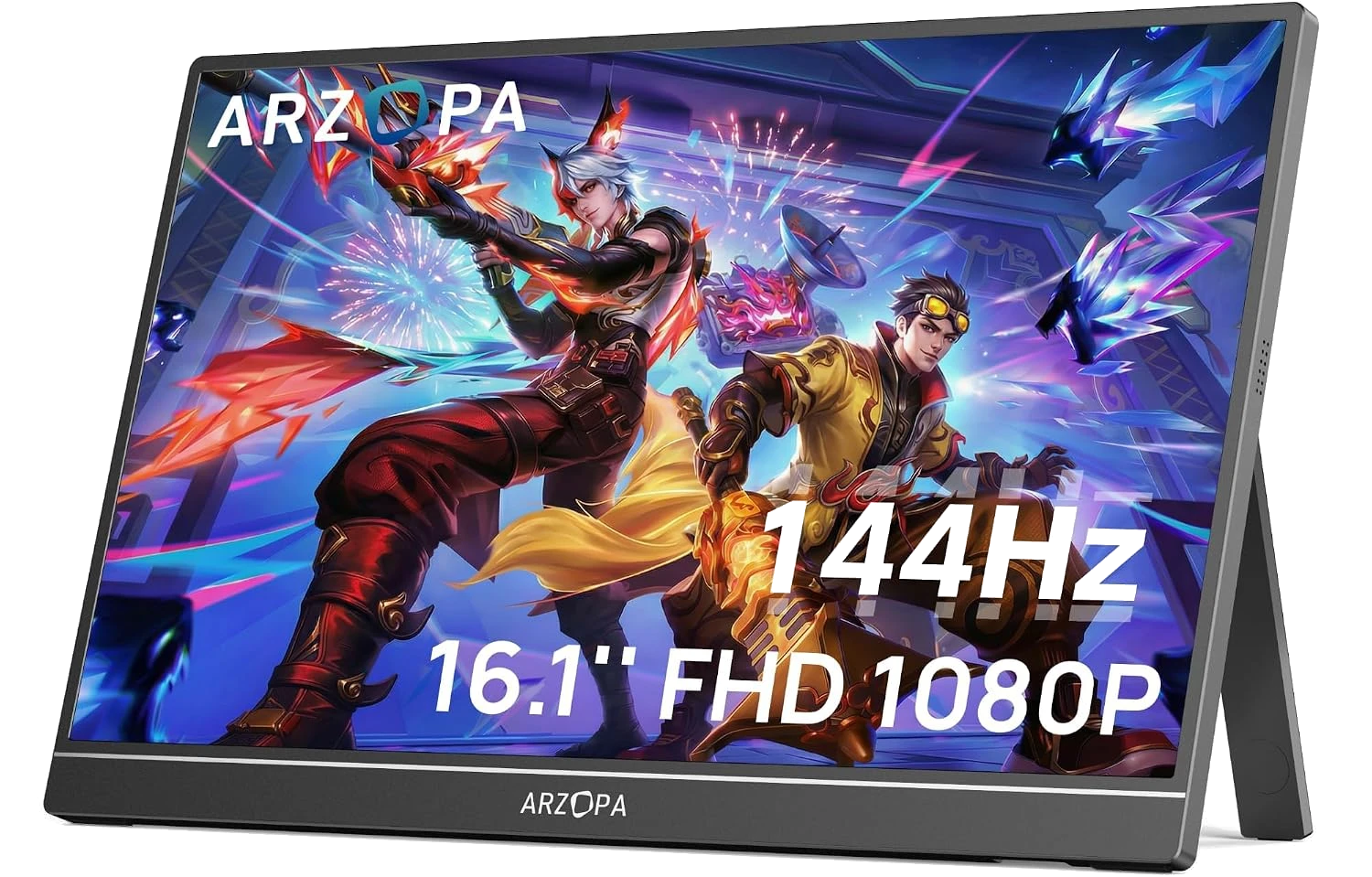
You buy a portable monitor to give your laptop a second screen, then discover most of them run at a sluggish 60Hz that makes even scrolling feel like a step backward from your phone. The Arzopa G1 Game is the budget answer to that problem: a 16-inch portable gaming monitor that actually runs at 144Hz, usually for around $130. The real question is whether a screen this cheap cuts corners you'll end up regretting.
What Is the Arzopa G1 Game?
The Arzopa G1 Game is a 16.1-inch portable gaming monitor built around a 1080p IPS panel with a 144Hz refresh rate. It weighs about 1.4 pounds, measures roughly a third of an inch thick, and covers 106% of the sRGB color space, so colors look accurate for everyday work and streaming. Connectivity covers two USB-C ports and a mini HDMI input, which means it can pull video and power from a single cable on laptops and phones that support it, or take HDMI from a console. Arzopa rates brightness at 300 nits, and professional testers at Tom's Hardware measured it a touch higher, closer to 357 nits in standard mode. That's bright enough for indoor use and shaded outdoor spots, though not for battling direct sunlight.
Who Should Buy the Arzopa G1 Game?
This is a screen for people who need a second display that travels. Think hybrid workers who want a dual-monitor setup in a coffee shop or hotel room, students who code or write with reference material open beside them, and console gamers who want to bring a PS5, Xbox, or Switch to a friend's place without hauling a TV. The 144Hz refresh rate matters most to that last group. It makes fast-paced games and even plain cursor movement look noticeably smoother than the 60Hz you get on most budget portables. If you only ever plan to view spreadsheets and email, you can save money with a slower panel. If motion smoothness is part of why you're buying, this is where the G1 Game earns its keep.
What the 144Hz Panel Actually Gets You
- 144Hz refresh you can feel. Everything from gameplay to dragging windows looks smoother than a standard 60Hz portable, and the difference shows up within seconds.
- Accurate color out of the box. The 106% sRGB coverage means photos, video, and design work look true to life without you fiddling with settings.
- One-cable convenience. A single USB-C connection carries both video and power from compatible laptops and phones, so travel setup takes seconds.
- Genuinely portable. At about 1.4 pounds and a third of an inch thick, it slips into a laptop bag without adding noticeable weight.
- Console and handheld friendly. The mini HDMI input takes a PS5, Xbox, Switch, or Steam Deck, turning any room into a gaming station.
What You'll Pay
The G1 Game carries a $189.99 list price but spends most of its life closer to $130, which puts it near the bottom of the 144Hz portable-monitor market. You're paying for the high refresh rate more than anything else. Step down to a 60Hz portable and you can save $30 to $50; step up to a sharper 2.5K model and you'll pay more for text clarity you may not need. The price widget above shows where today's number sits against our tracked history, so you can tell at a glance whether a listed "deal" is a real discount or just the usual price with a bigger crossed-out number next to it.

Arzopa G1 Game vs. the Alternatives
If you want a fixed screen for a permanent desk rather than something that travels, a full-size budget monitor makes more sense for the money. Our BenQ GW2486TC review covers a 24-inch option that gives you far more screen real estate and eye-comfort features for home use, though it never leaves the desk. On the portable side, the ASUS ZenScreen MB16AHV is the safer pick if you value brand support and a slightly more polished build over raw refresh rate, since it tops out at 60Hz but tends to feel more premium in hand. The G1 Game wins on one clear metric: almost nobody else puts a true 144Hz panel this close to $100.
One Thing to Consider (Actually, a Few)
The G1 Game's biggest catch hides in how it handles power. Reviewers at Tom's Hardware found the panel caps its brightness at 80% when it draws power over USB-C or USB-A alone, and only reaches full brightness with the bundled power adapter plugged in. If you plan to run it off a single laptop cable, expect a dimmer picture than the spec sheet promises. Two other limits are worth knowing about. There's no Adaptive-Sync, so serious gamers won't get variable refresh rate to smooth out screen tearing, and the built-in speakers are an afterthought that owners and testers describe as worse than laptop audio, with distortion past 80% volume. Plan on headphones or external speakers for anything beyond system sounds.

FAQ
Q: Does the Arzopa G1 Game work with a Nintendo Switch and PS5? Yes. The mini HDMI input accepts a Switch, PS5, Xbox, or Steam Deck with the right cable, and the 144Hz panel displays their output smoothly. Just remember that consoles only send video over HDMI, so you'll still power the monitor separately over USB-C.

Q: Can it run on a single USB-C cable from my laptop? On laptops and phones that send video over USB-C, yes, one cable carries both picture and power. The catch is brightness: on USB power alone the panel is limited to about 80% of its maximum, so use the included adapter when you want the screen at its brightest.
Q: Is 144Hz actually worth it on a portable monitor? If you game or care about motion smoothness, yes. The jump from 60Hz to 144Hz is easy to see in fast games and even routine scrolling. If you only use the screen for documents and browsing, a cheaper 60Hz portable will serve you just as well.
The Verdict
The Arzopa G1 Game is the portable monitor to buy if you want real 144Hz smoothness without paying premium-brand prices, as long as you can live with mediocre speakers and a brightness cap on USB power. Skip it only if you need variable refresh rate or a screen bright enough for direct sunlight.
If the price in the card above is sitting near its usual $130, this is an easy recommendation for anyone who wants a second screen that keeps up with their eyes. Only hold out for a dip below that if your budget is genuinely tight.